Filing an issue, branching, opening the pull request and merging it all run in git and gh, with no browser tab open. The whole loop is nine commands.
I kept this as a public gist for two years and run it on every repo I touch. This post is that gist, with the flags that skip the prompts and the one line that makes the merge close the issue for you.
Everything below is gh 2.96.0 and git 2.54.0, run from inside a repository you can push to.
Table of contents
Open Table of contents
The whole loop
gh issue create                         # file it, note the number (say 32)
gh issue develop 32 --checkout          # branch linked to #32, checked out locally
# write the code, then:
git add .
git commit -m 'feat(translation): this is an example'
git push
gh pr create --fill --body "Closes #32" # open the PR, keyword set
gh pr merge --rebase --delete-branch    # rebase onto main, close #32, drop the branch
git switch main && git pull --prune     # bring the merge home, tidy stale refs
Run gh auth login once and every command after that runs as you. gh works out which repository you mean from the git remote of the current directory, so all of this happens from inside the checkout.
gh issue create prints the URL of the issue it filed, and the number on the end of that URL is the 32 every later command refers to. To pick up an issue that already exists instead, list them and read the number off the left column:
gh issue listHere it is on olivierlambert/calrs, a project with rather more open issues than this site has. The #208 on the first row is the number gh issue develop wants:
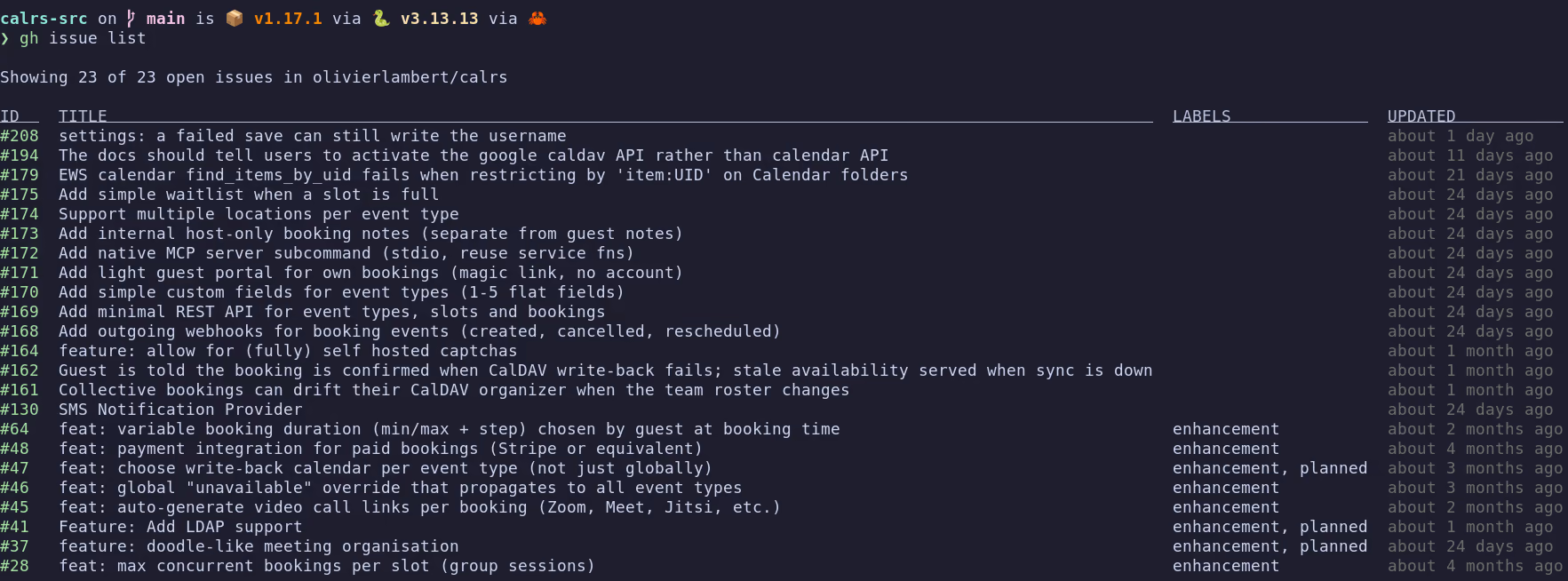
Three flags do the work of the prompts. --checkout creates the linked branch and switches to it in one go, so the branch name never has to be typed. --fill takes the PR title and body from your commits. --rebase --delete-branch skips the merge menu and removes the branch from both your machine and the remote.
The git push in that block needs no -u. gh created the branch on the remote before checking it out, so its upstream is already set. A branch you make yourself with git switch -c has none, which is why the fork section below pushes with -u origin <branch>. One setting covers both cases:
-ugit config --global push.autoSetupRemote trueAvailable since git 2.37, it makes the first push on a new branch a plain git push. It is why -u never shows up in my own shell history.
What actually closes the issue?
Only a closing keyword in the PR body, merged into the default branch, closes an issue.
gh issue develop links the branch to the issue, and the link shows up in the issue’s Development section. That is enough to make you assume the merge closes it. It does not. GitHub documents auto-close for a closing keyword landing on the repository’s default branch, and for nothing else.
So the keyword goes in the PR body:
gh pr create --fill --body "Closes #32"The two flags are not redundant. --fill takes the title and the body from your commits, then --body overwrites the body it just filled in and leaves the title alone, which gh documents. So the PR gets a title from your commits, exactly Closes #32 as its body, and no prompt. Drop --fill and gh has no title, so it stops to ask for one.
Which title depends on how many commits the branch carries. With a single commit, --fill takes that commit’s subject. With several, it takes the branch name and turns the dashes into spaces, so a branch named by gh issue develop gives 32 adding french translation, which is the title #33 below ended up with. Pass --fill-first to use the first commit’s subject either way.
close, closes, closed, fix, fixes, fixed, resolve, resolves and resolved all work, each followed by # and the number, anywhere in the body. To keep the commit text in the body as well, drop --body and write the keyword into the commit message instead.
Closes #32 in a PR that targets a release branch or a develop branch links the issue and leaves it open. GitHub documents auto-close for the repository’s default branch and nothing else, so a team that merges through a staging branch closes its issues by hand no matter what the PR body says.
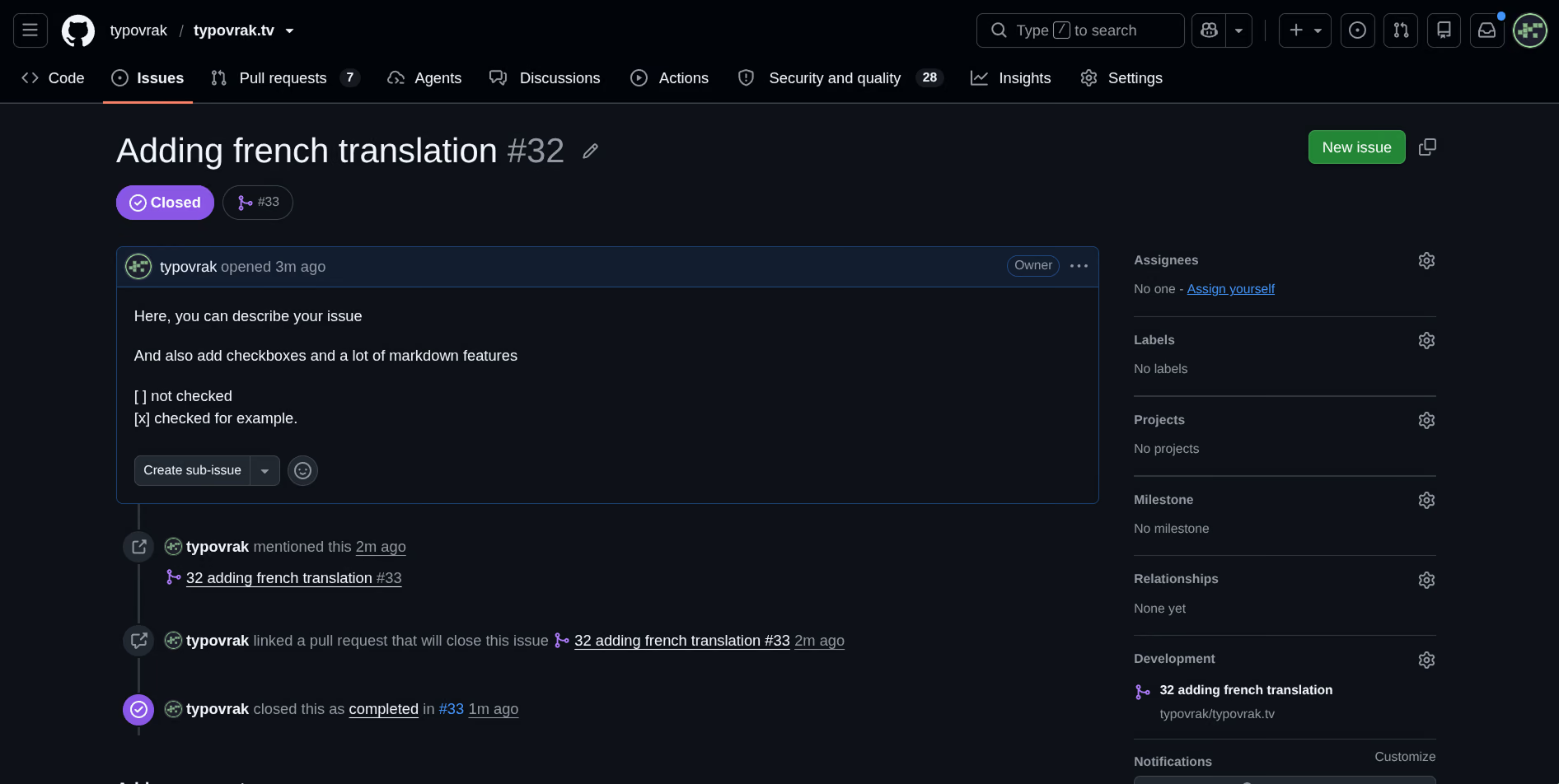
Here is issue #32 on this repository, closed by the merge with nobody touching the issue itself:
Which merge strategy?
Run gh pr merge with no strategy flag and it asks. The three differ only in what lands on the default branch:
| Strategy | Flag | What lands on main | Resulting history |
|---|---|---|---|
| Rebase | --rebase | your commits, replayed onto main | linear, every commit kept |
| Squash | --squash | one new commit combining the branch | linear, one commit per PR |
| Merge commit | --merge | your commits plus a merge commit | keeps the PR as a visible bubble |
--rebase is the one to reach for. Your commits land on main one by one, so every message you wrote stays in the tree and git log reads as a straight line. Squash collapses all of that into a single commit, which is only worth it when the branch is a pile of wip and typo commits you would rather not keep. Take the merge commit when you specifically want the PR boundary to stay visible.
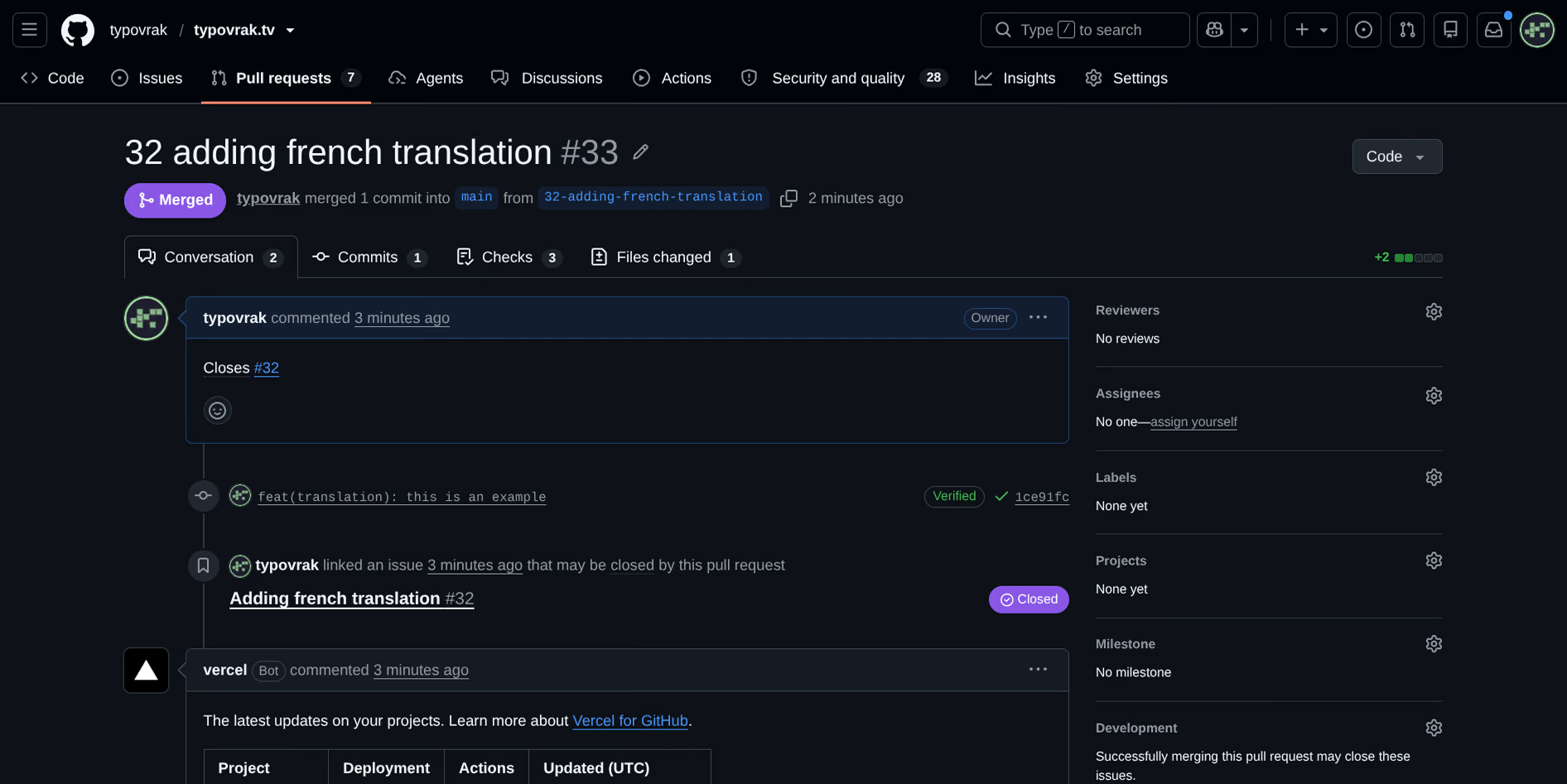
Pull request #33 is what that looks like once landed:
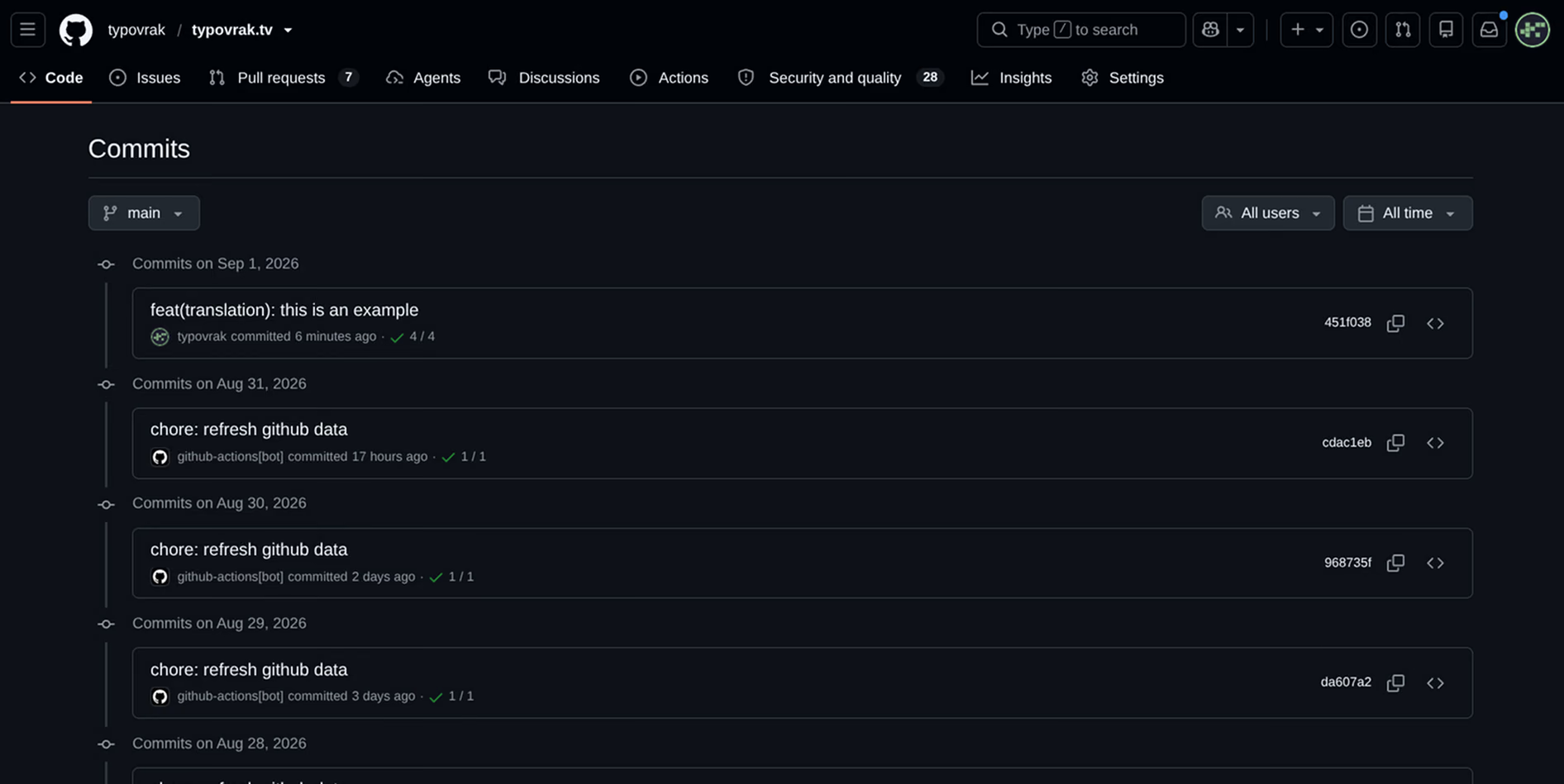
And the commit history for that month is a straight line, every commit from the branch still there under its own message:
Does this work on a repo you cannot push to?
Yes, with two changes. You cannot create a linked branch on a repo you lack push access to, so fork it, branch the ordinary way, and leave the merge to the maintainer:
gh repo fork owner/repo --clone
cd repo
git switch -c fix-stale-search
# work, commit, then push to your fork:
git push -u origin fix-stale-search
gh pr create --fill --body "Closes #123"
gh notices the clone is a fork and defaults the PR base to the upstream default branch, with your fork’s branch as the head. Closes #123 still closes their issue when they merge it.
Comments
Loads a GitHub-hosted comment widget. It is fetched only when you click, which exposes your IP to GitHub. See the legal notices.