This is the exact setup I built on a fresh Arch install in 2024: GNOME, yay, my package list, a zsh config with zinit and Powerlevel10k, then Docker, SSH and Git. I have since rebuilt the whole thing as a declarative NixOS config, so read this as a time capsule, proof of how far the setup has come. Every command below is one I actually ran.
I ran it on two machines: a ROG Strix G731GU, and a 500-euro 15-inch Asus that shipped with 8 GB of RAM. Windows barely codes on the Asus. Arch runs it like a much pricier laptop, within the limits of what 8 GB allows. That gap is most of why I left Windows behind.
What I run today grew straight out of this. It has since moved to NixOS, picked up far more tools, swapped several for more modern and more secure ones, and gained an end-to-end Catppuccin Mocha green theme. This is where it started.
Table of contents
Open Table of contents
- Which desktop did I run?
- Why yay instead of plain pacman?
- Which packages do I install first?
- How do I run Docker without sudo?
- How do I make zsh the default shell?
- Adding a Nerd Font
- What is in my zsh config?
- How do I enable SSH?
- How do I configure Git?
- Which apps do I install from Flathub?
- Which GNOME tweaks do I always make?
- What would I do differently?
- What changed since?
Which desktop did I run?
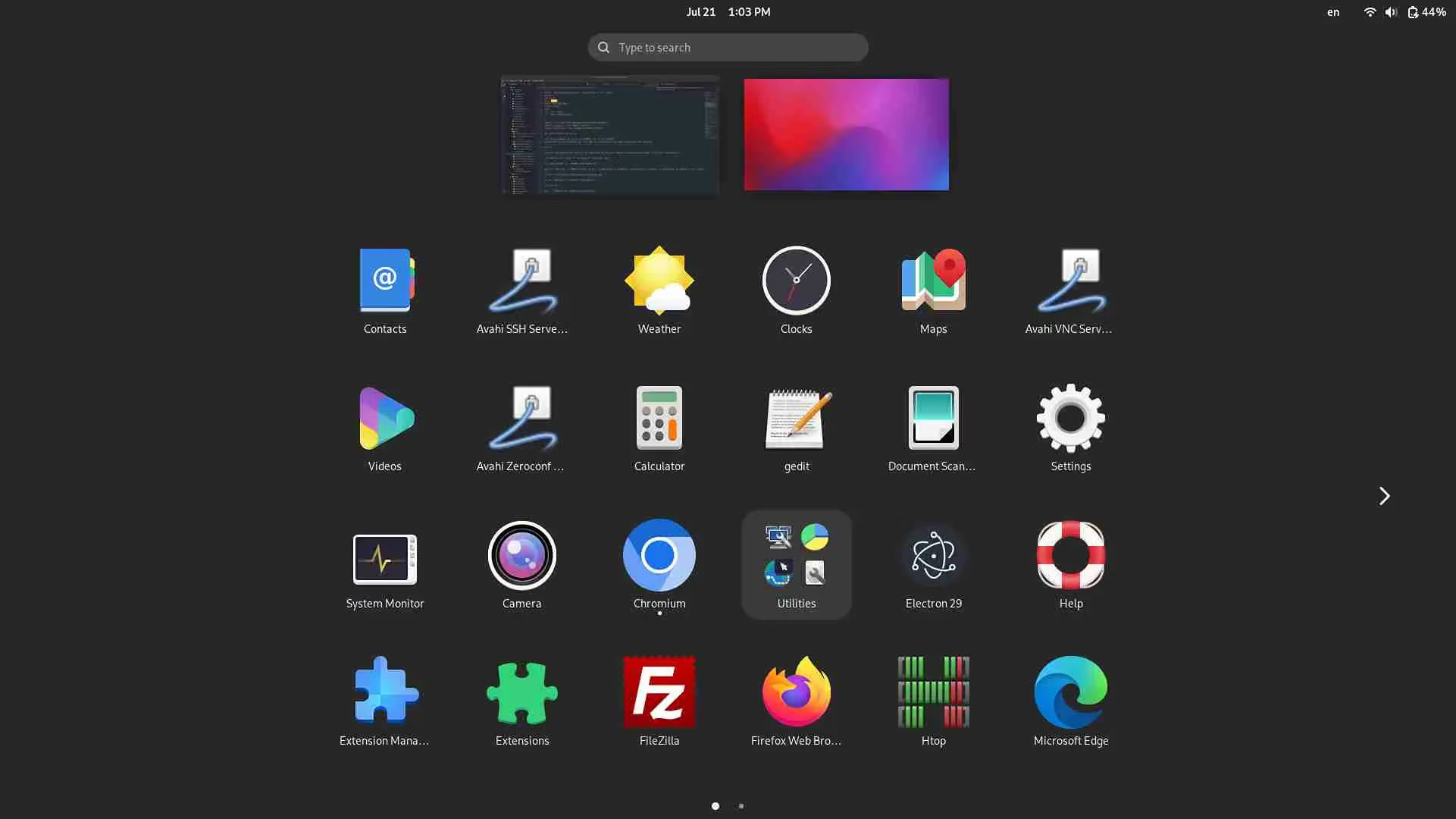
GNOME, because it is simple, fast, and needs almost no tweaking to do what I want. I would rather spend the effort on my terminal than on the window manager.
Why yay instead of plain pacman?
yay installs packages straight from the AUR, the community-maintained collection that makes the official repos look small. It also updates your whole system in one command, so you stop babysitting mirror lists every two weeks.
Start with git and the build tools:
sudo pacman -S --needed base-devel gitClone yay, build it, done:
git clone https://aur.archlinux.org/yay.git
cd yay
makepkg -si
Check it landed:
yay --versionThen bring the whole system up to date:
yay -uOne habit worth keeping: update weekly, not once a quarter. A three-month backlog is how you end up with five apps breaking at the same time.
The fix is gloriously dumb: reboot and it behaves again.

Which packages do I install first?
These 19 packages go on every Linux machine I use, in one command:
sudo pacman -S chromium firefox flatpak docker docker-compose zsh fzf zoxide neovim npm nodejs gdu lazygit earlyoom rpi-imager tmux filezilla geditHere is why each one earns its place:
| Package | Why |
|---|---|
| chromium | My main browser, for the performance. |
| firefox | Only to test my sites and tweak network requests. |
| flatpak | Access Flathub apps from GNOME Software. |
| docker | My dev and deploy tool of choice. |
| docker-compose | Multi-container services on top of Docker. |
| zsh | Highlighting, autocompletion and more in the terminal. |
| fzf | Fuzzy finding for files and commands. |
| zoxide | Jump to directories by history and frequency. |
| neovim | My future editor, the day I finally find the courage to switch. |
| npm | Installing Node packages and building locally. |
| nodejs | The language I build sites and APIs with. |
| gdu | See which folders eat the most disk. |
| lazygit | Reading commit history, since I never touch git outside the terminal. |
| earlyoom | Watch RAM in real time and kill a runaway before the system freezes. |
| rpi-imager | Flash bootable cards for my Raspberry Pi. |
| tmux | Terminal sessions, essential alongside neovim. |
| filezilla | SFTP client, for docs aimed at non-technical people. |
| gedit | Because vim refuses to cooperate with FileZilla’s edit feature. vim > everything else. |
Most of the list explains itself. A few picks deserve a word, folded away so the walkthrough keeps moving.
The reasoning behind a few of them
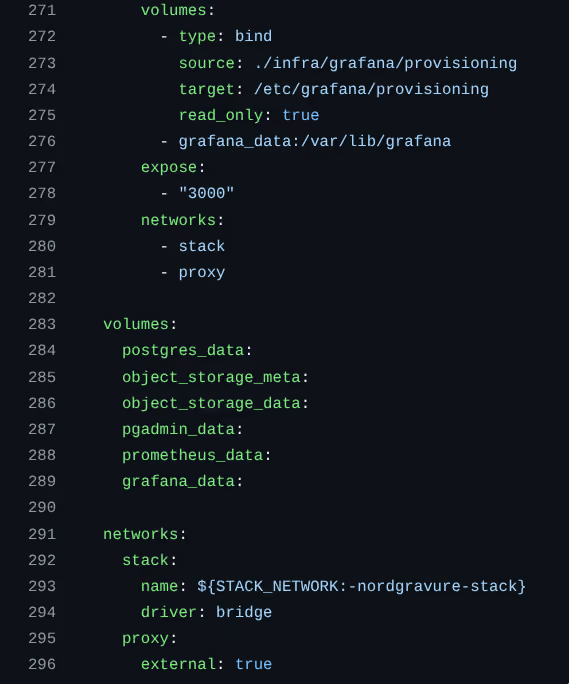
docker is my single tool for install, development and production. One file pins a project to a specific Node version and puts its services on a private network, exposing only a separate external proxy network to the reverse proxy. The database sits on the private network alone, so nothing outside the VPS can reach it. That enforces good architecture for free: nothing stops a beginner from calling a database straight from React until the network does.
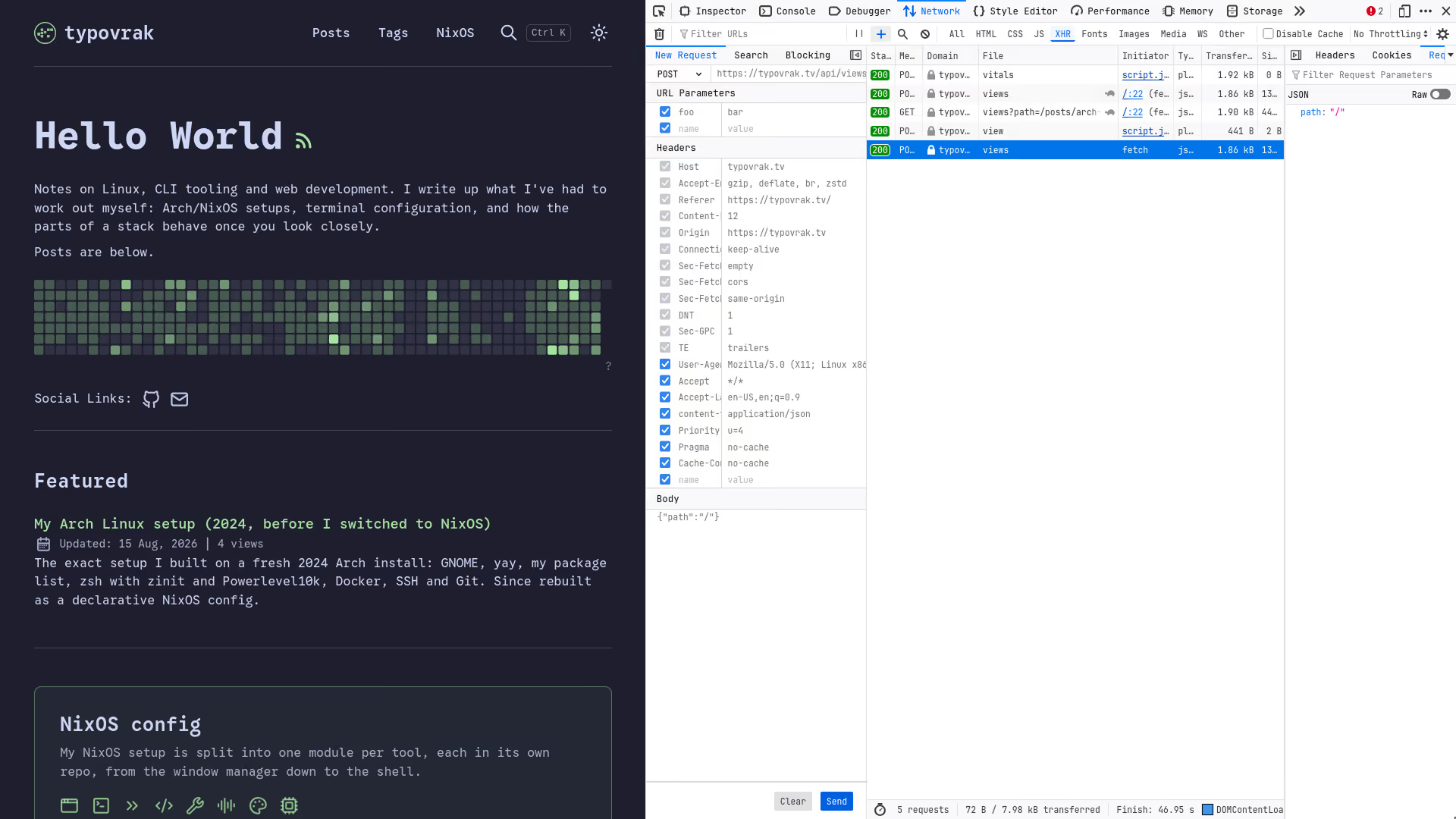
chromium over firefox for daily driving. Chromium is smoother and faster, and Firefox deleted its old promise never to sell your personal data. I keep Firefox for one niche move: replaying an XHR request to walk past a front-end form validation.
fzf is a must-have, inside Neovim and on the command line both. It is the fastest way I know to find anything on a Linux system.
lazygit puts a UI on git without leaving the terminal. git is simple enough day to day that I only reach for it to read complex commit graphs and branches.
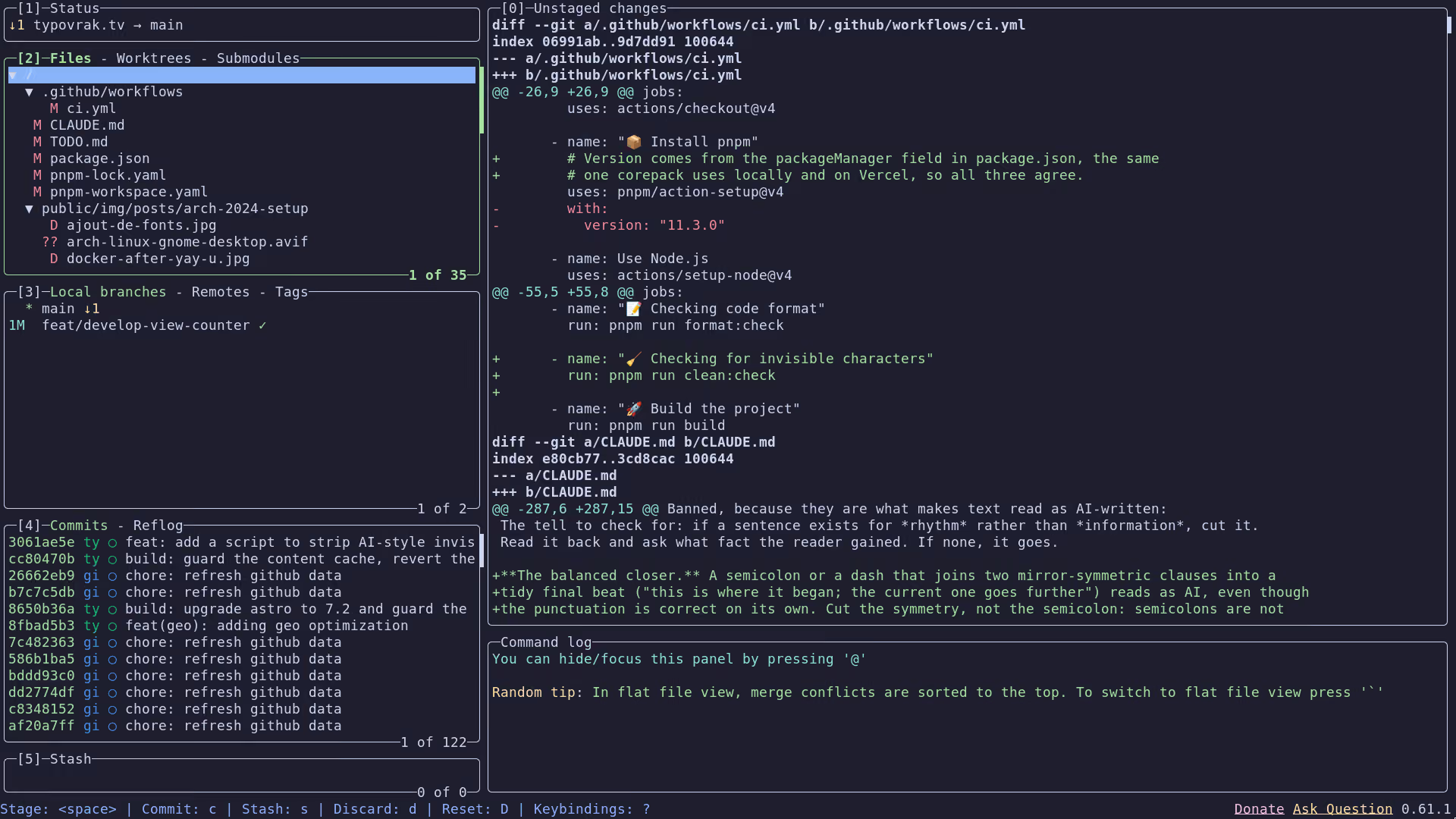
One package needs the AUR, so it goes through yay instead of pacman:
yay -S nvmTo finish this step, reboot so Flatpak wires itself into GNOME Software:
rebootRebooting from the terminal instead of the menu changes nothing, it just looks cooler.
Once the machine is back, GNOME Software can install anything on Flathub directly.
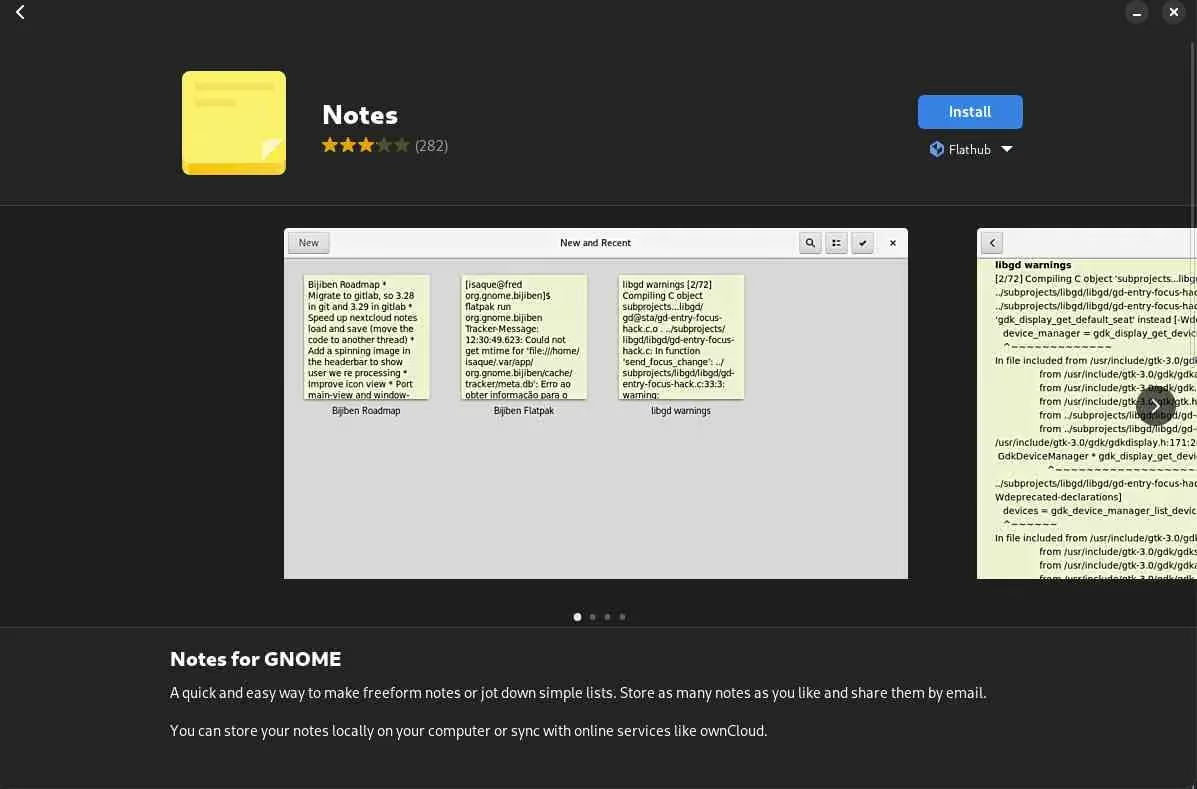
In 2024 I barely opened Neovim. It is now my daily editor, and my whole Neovim config, every custom plugin pinned, gets cloned on every nixos-rebuild. 100% reproducible, zero interaction during install and build.
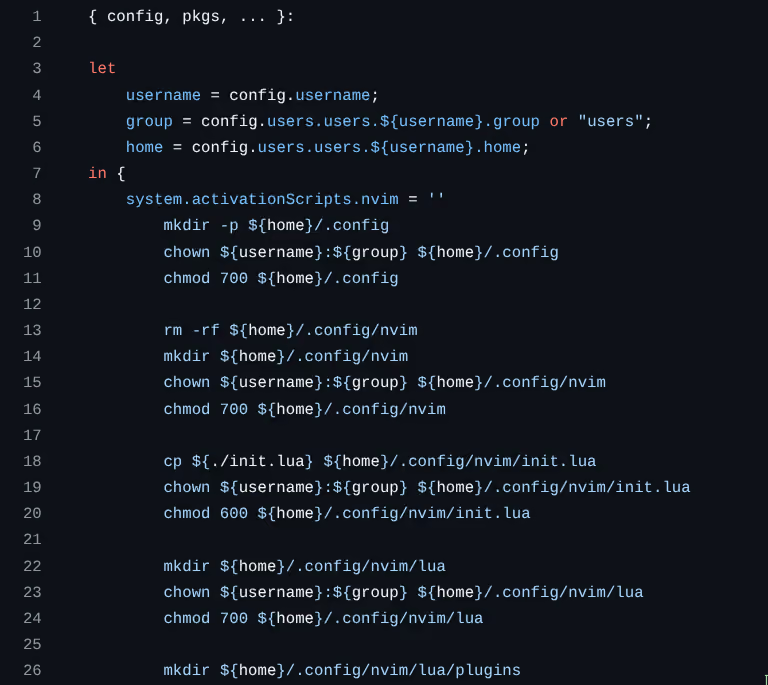
Installing an app like Insomnia means adding its name to my NixOS config and nothing else. No pacman, no yay, no clicking through GNOME Software.
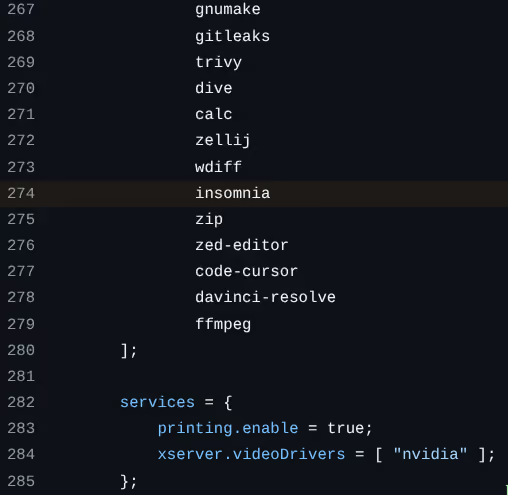
How do I run Docker without sudo?
Add your user to the docker group, and the daemon stops asking for root on every command. First start the service and make it survive reboots:
sudo systemctl start docker.service
sudo systemctl enable docker.service
Then add yourself to the group and refresh it in the current shell:
sudo usermod -aG docker $USER
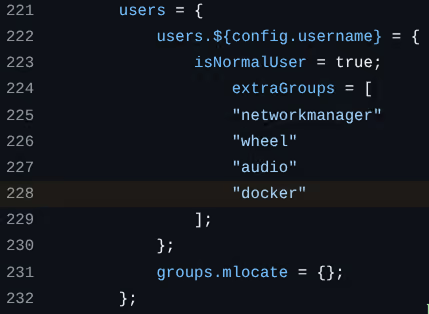
newgrp dockerThis whole dance is one line in my config: extraGroups = [ "docker" ];, written once and applied on every rebuild. No usermod, no newgrp.
Test it with the throwaway hello-world image:
docker run hello-world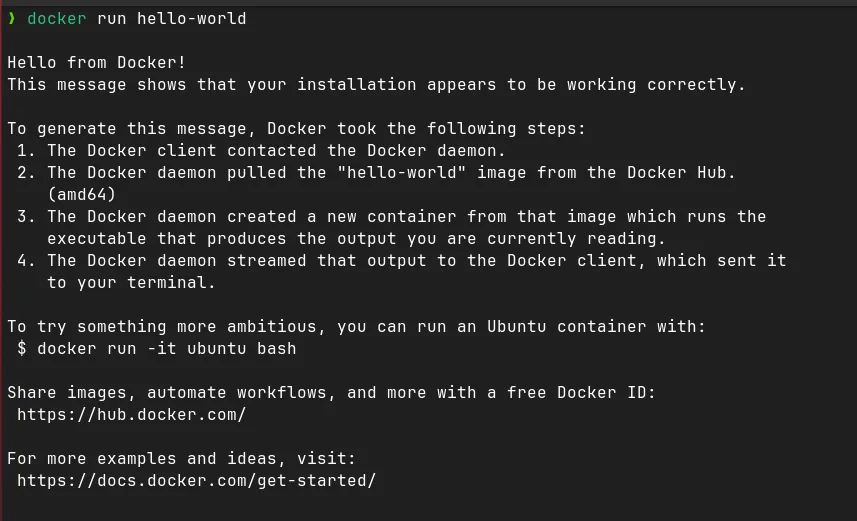
If the first line reads Hello from Docker!, you are done.
How do I make zsh the default shell?
chsh changes the login shell. Point it at zsh, which is already installed. bash is fine, zsh is better, so:
chsh $USERWhen it asks for the new shell, give it the zsh path:
/usr/bin/zshConfirm it took:
echo $SHELLThat should print /usr/bin/zsh. The shell is switched, but it is bare until you give it a config.
Adding a Nerd Font
A Nerd Font ships the extra glyphs and icons a good terminal theme needs, and Powerlevel10k will ask for one. Download one from nerdfonts.com. I use JetBrains Mono for how it reads while coding, with Fira Code as my occasional favourite for a change of scenery.
Unzip it, delete the LICENSE.txt and README.md inside, then drop every font file into ~/.local/share/fonts (create it if missing, and keep it flat, no subfolders). Set that font in your terminal preferences, and if there is both a Mono and a non-Mono variant, pick the non-Mono one for a better terminal render.
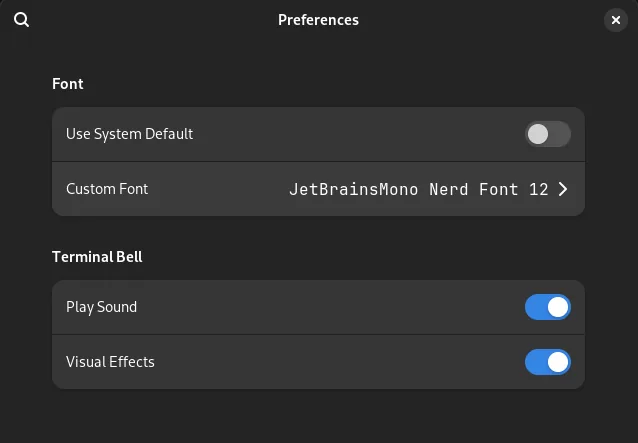
This is also where I set the size. With JetBrains Mono I use 12, to spare my eyes over a long day.
What is in my zsh config?
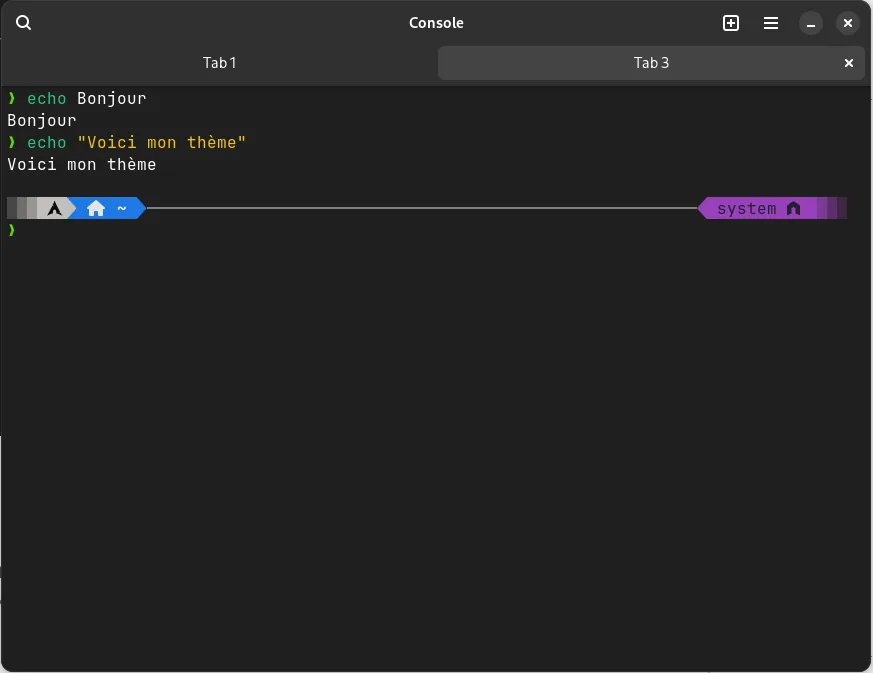
The config wires up zinit as the plugin manager, Powerlevel10k as the prompt, and a handful of plugins for highlighting, completion and fuzzy tab. Create ~/.zshrc:
vim ~/.zshrcAnd here is mine, the one I actually ran:
# init ssh agent
eval "$(ssh-agent -s)" &>/dev/null
# load custom ssh keys
#ssh-add ~/.ssh/github &>/dev/null
#ssh-add ~/.ssh/gitlab &>/dev/null

source /usr/share/nvm/init-nvm.sh

# Enable Powerlevel10k instant prompt. Should stay close to the top of ~/.zshrc.
# Initialization code that may require console input (password prompts, [y/n]
# confirmations, etc.) must go above this block; everything else may go below.
if [[ -r "${XDG_CACHE_HOME:-$HOME/.cache}/p10k-instant-prompt-${(%):-%n}.zsh" ]]; then
  source "${XDG_CACHE_HOME:-$HOME/.cache}/p10k-instant-prompt-${(%):-%n}.zsh"
fi

if [[ -f "/opt/homebrew/bin/brew" ]] then
  # If you're using macOS, you'll want this enabled
  eval "$(/opt/homebrew/bin/brew shellenv)"
fi

# Set the directory we want to store zinit and plugins
ZINIT_HOME="${XDG_DATA_HOME:-${HOME}/.local/share}/zinit/zinit.git"

# Download Zinit, if it's not there yet
if [ ! -d "$ZINIT_HOME" ]; then
   mkdir -p "$(dirname $ZINIT_HOME)"
   git clone https://github.com/zdharma-continuum/zinit.git "$ZINIT_HOME"
fi

# Source/Load zinit
source "${ZINIT_HOME}/zinit.zsh"

# Add in Powerlevel10k
zinit ice depth=1; zinit light romkatv/powerlevel10k

# Add in zsh plugins
zinit light zsh-users/zsh-syntax-highlighting
zinit light zsh-users/zsh-completions
zinit light zsh-users/zsh-autosuggestions
zinit light Aloxaf/fzf-tab

# Add in snippets
zinit snippet OMZP::git
zinit snippet OMZP::sudo
zinit snippet OMZP::archlinux
zinit snippet OMZP::aws
zinit snippet OMZP::kubectl
zinit snippet OMZP::kubectx
zinit snippet OMZP::command-not-found

# Load completions
autoload -Uz compinit && compinit

zinit cdreplay -q

# To customize prompt, run `p10k configure` or edit ~/.p10k.zsh.
[[ ! -f ~/.p10k.zsh ]] || source ~/.p10k.zsh

# Keybindings
bindkey -v

# History
HISTSIZE=5000
HISTFILE=~/.zsh_history
SAVEHIST=$HISTSIZE
HISTDUP=erase
setopt appendhistory
setopt sharehistory
setopt hist_ignore_space
setopt hist_ignore_all_dups
setopt hist_save_no_dups
setopt hist_ignore_dups
setopt hist_find_no_dups

# Completion styling
zstyle ':completion:*' matcher-list 'm:{a-z}={A-Za-z}'
zstyle ':completion:*' list-colors "${(s.:.)LS_COLORS}"
zstyle ':completion:*' menu no
zstyle ':fzf-tab:complete:cd:*' fzf-preview 'ls --color $realpath'
zstyle ':fzf-tab:complete:__zoxide_z:*' fzf-preview 'ls --color $realpath'

# Aliases
alias ls='ls --color'
alias c="clear"
alias e="exit"
alias vim="nvim"
alias v="nvim"
alias vi="nvim"
alias view="nvim -R"
alias vimdiff="nvim -d"

# Shell integrations
eval "$(fzf --zsh)"
eval "$(zoxide init --cmd cd zsh)"
Reload to apply it:
source ~/.zshrcThe GitHub and GitLab SSH lines are commented out. Uncomment them if your keys share those names, or point them at yours. The aliases are the part I miss most on any machine that is not mine: e to exit a terminal in one keystroke, c to clear, and v/vim/vi all pointing at Neovim.
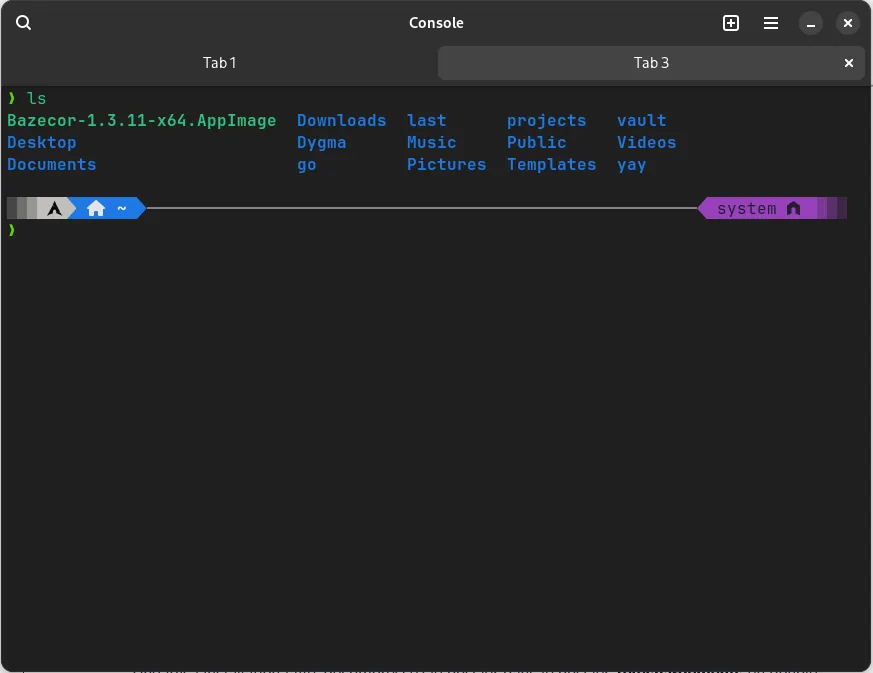
The first time you open a terminal after this, Powerlevel10k walks you through building a prompt. Answer the questions to taste. The full options live in the Powerlevel10k docs.
How do I enable SSH?
The SSH service is off by default, which blocks cloning over SSH and connecting to a VPS. Same pattern as Docker, start it and enable it:
sudo systemctl start sshd
sudo systemctl enable sshd
Create a directory for your keys and lock down its permissions:
mkdir ~/.ssh
chmod 700 ~/.ssh
cd ~/.ssh
If you drop keys in, fix their permissions or SSH will treat them as public and refuse them. Private keys need 600, public keys 644:
chmod 600 github gitlab
chmod 644 github.pub gitlab.pub
How do I configure Git?
Set your name, email and default branch, so new repos start on main rather than master:
git config --global user.name "First LAST"
git config --global user.email you@example.com
git config --global init.defaultBranch main
Those three commands are the same as writing a ~/.gitconfig by hand. It is an INI file, one of the dozens of config formats you will meet, and you can read yours back with:
cat ~/.gitconfigWhich apps do I install from Flathub?
The GUI apps that pacman and yay cannot give me come from Flathub, through GNOME Software now that Flatpak is wired in. My usual list:
- Slack, for work chat.
- Obsidian, for personal notes.
- OBS, for recording with a webcam.
- VLC, because GNOME Videos still trips over half my files.
- Extension Manager, to tweak GNOME.
Which GNOME tweaks do I always make?
Three small ones, and I set all three on every machine.
First, volume above 100%. GNOME caps output at 100% by default, and this one setting unlocks a 150% boost that a quiet laptop needs:
gsettings set org.gnome.desktop.sound allow-volume-above-100-percent 'true'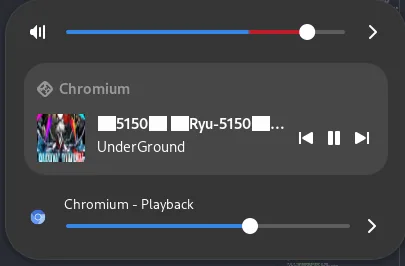
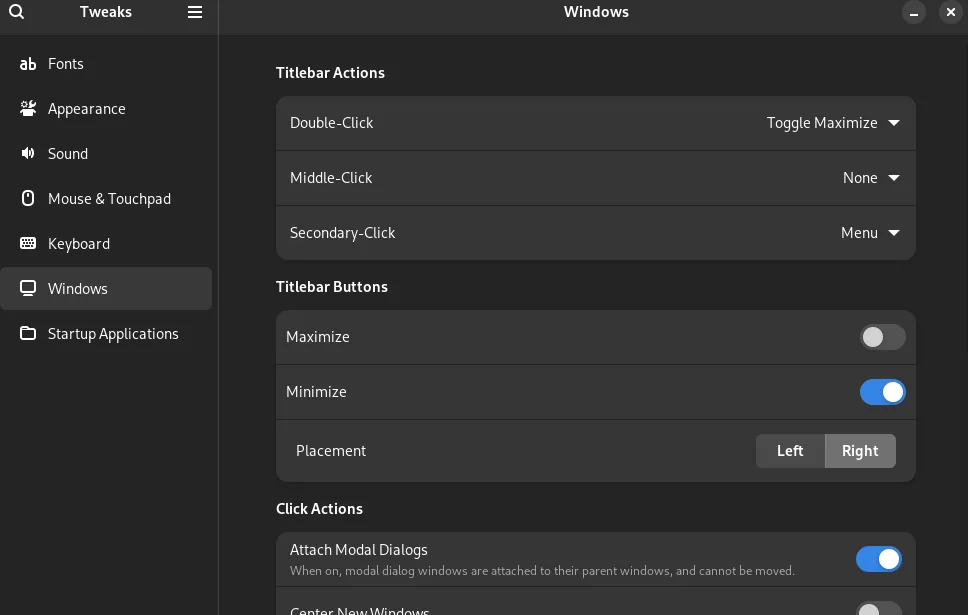
Second, the minimize button. GNOME ships without one, so I turn it back on in GNOME Tweaks. Small thing, non-negotiable for me.
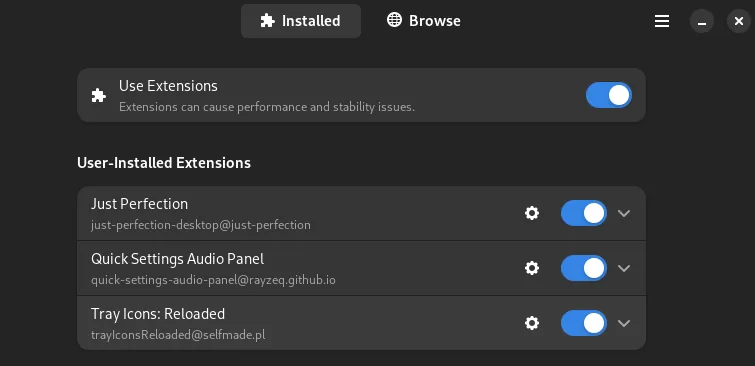
Third, three extensions from Extension Manager:
- Just Perfection, to reshape the GNOME interface. I mostly toggle the battery percentage and the keyboard-layout indicator, since I switch layouts all day.
- Quick Settings Audio Panel, to set the volume per app from the top-right menu.
- Tray Icons: Reloaded, to show background apps like Discord or Slack in the tray.
What would I do differently?
Three calls I would change with two years of hindsight.
GNOME was the right way to start, but I would go straight to i3 now. Everything runs from the keyboard: every app, window, workspace and command. One screen with i3 in the hands does the work of two, three, sometimes four screens under GNOME, and the whole application layout bends to how you actually work.
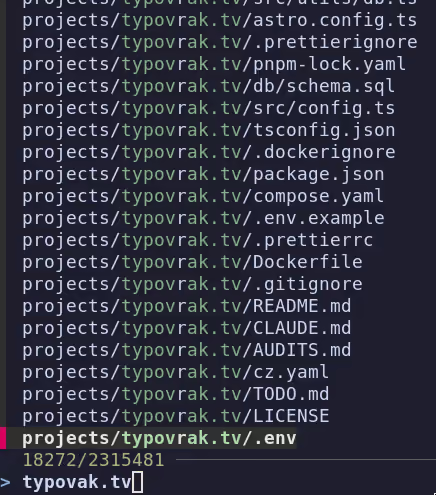
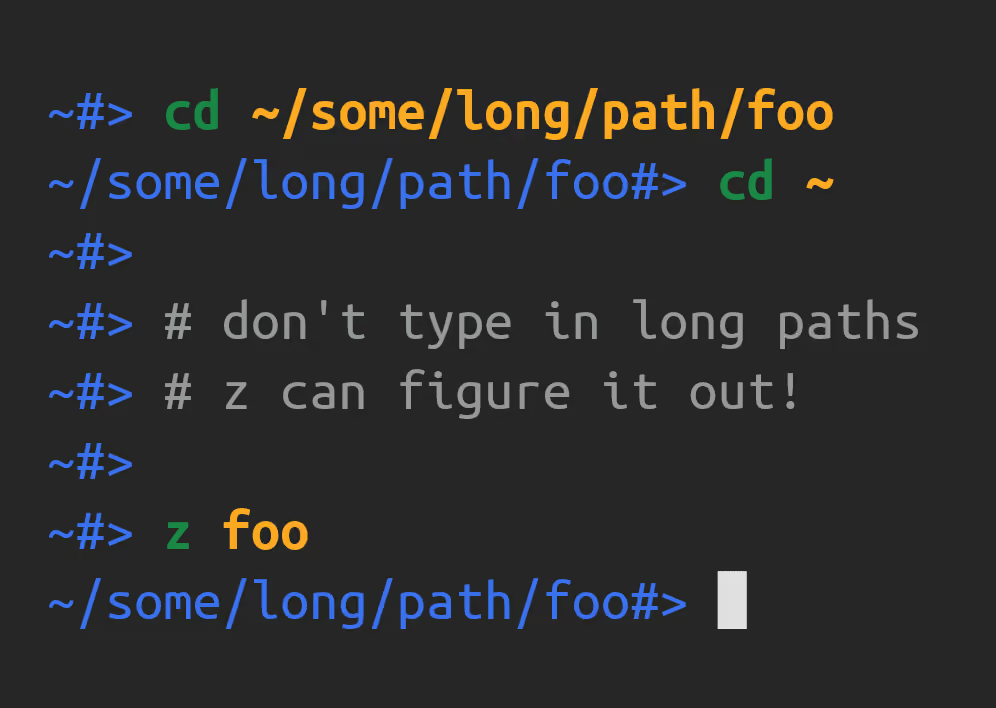
zoxide is a small quality-of-life win. cd typovrak.tv jumps to ~/projects/typovrak.tv from anywhere in the tree, and it is the kind of thing you should live with for a week to feel it. I dropped it anyway. It made me forget my own paths, which is backwards, and as a touch typist I lose almost no time typing a path in full.
FileZilla and gedit only survive for production work and the odd one-off. Given the choice, it is SSH and Vim every time.
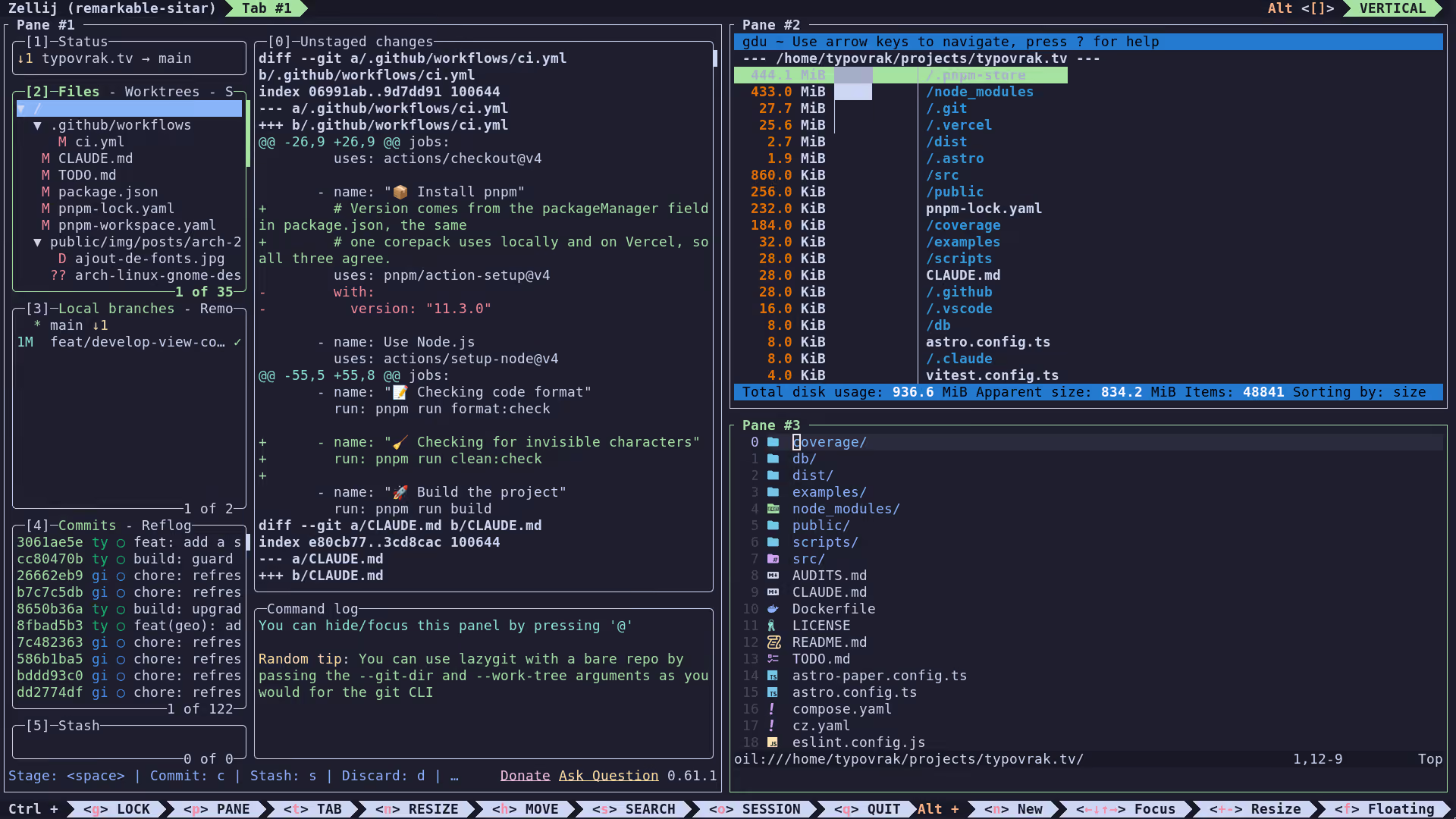
tmux is here for testing. I prefer zellij, the Rust terminal multiplexer, but it carries more than my daily work needs, so I never made the switch. My zellij config and theme are on GitHub if you want them. The setup adapts with or without NixOS.
What changed since?
Everything above is imperative: run commands, click through GNOME, hope the next machine ends up the same. It worked, but it lived in my head and in screenshots like these, not in a file.
Setting Arch up by hand took me about two hours of installing and clicking, and it never ran unattended. The same result on NixOS takes five minutes: I write the config once, start the build, and go make a coffee while the machine installs and configures everything with zero interaction. I never pulled that off on Arch, and it is the single biggest reason I moved.
The setup is now a declarative NixOS config, one module per tool, so a fresh machine rebuilds to the same state from source. It has also grown well past this list, traded several tools for more modern and more secure ones, and picked up an end-to-end Catppuccin Mocha green theme. The 2024 list you just read is the foundation the rest was built on.
If you are on Arch today, this still gets you a clean, developer-ready system. When you get tired of doing it by hand, you know where to look next.
Comments
Loads a GitHub-hosted comment widget. It is fetched only when you click, which exposes your IP to GitHub. See the legal notices.