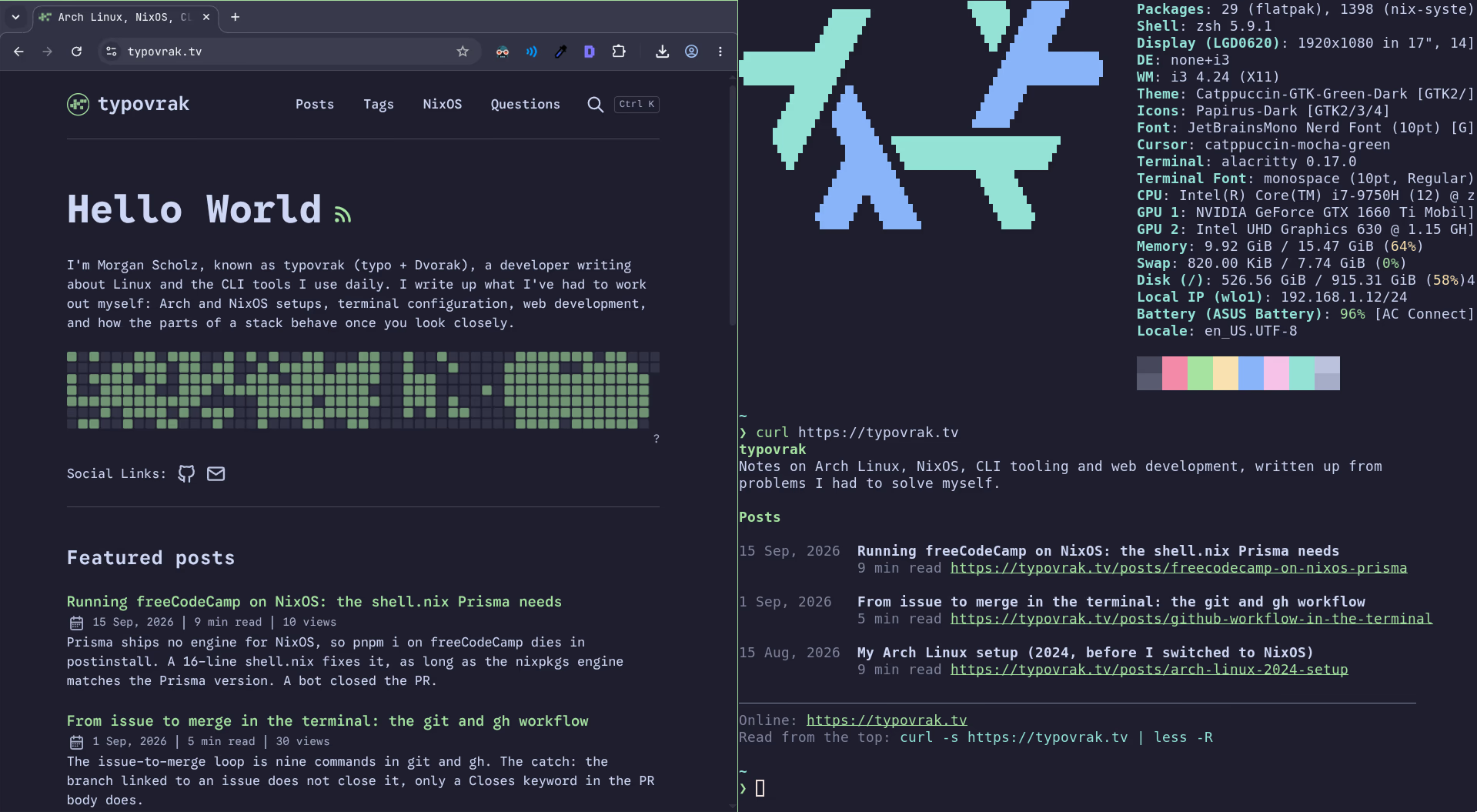
curl https://typovrak.tv/posts/github-workflow-in-the-terminal prints the post as coloured text, 80 columns wide, with its headings, tables, callouts and code blocks intact. A browser asking for the same URL gets the HTML. The switch is one rewrite rule in the Vercel config, keyed on the user-agent, in front of two prerendered text files per post. No function runs and no JavaScript is involved.
I shipped it on 2 September 2026 in one commit of 1,201 lines, about half of them tests. The switch is two of those lines. Everything else is the renderer, which is the part that decides whether the output is worth reading.
Versions below are Astro 7.0.3 with @astrojs/vercel 11.0.3, checked against the live site on 29 September 2026.
Table of contents
Open Table of contents
What does curl get from this site?
The post as text with colour, followed by three lines telling you where else it lives:
$ curl https://typovrak.tv/posts/github-workflow-in-the-terminal
From issue to merge in the terminal: the git and gh workflow
1 Sep, 2026 · 5 min read · CLI, git, GitHub, Open source

The issue-to-merge loop is nine commands in git and gh. The catch: the branch
linked to an issue does not close it, only a Closes keyword in the PR body does.

────────────────────────────────────────────────────────────────────────────────

Filing an issue, branching, opening the pull request and merging it all run in
git and gh, with no browser tab open. The whole loop is nine commands.
...
────────────────────────────────────────────────────────────────────────────────
Online: https://typovrak.tv/posts/github-workflow-in-the-terminal
Plain text: https://typovrak.tv/posts/github-workflow-in-the-terminal.txt
Read from the top: curl -s https://typovrak.tv/posts/github-workflow-in-the-terminal | less -R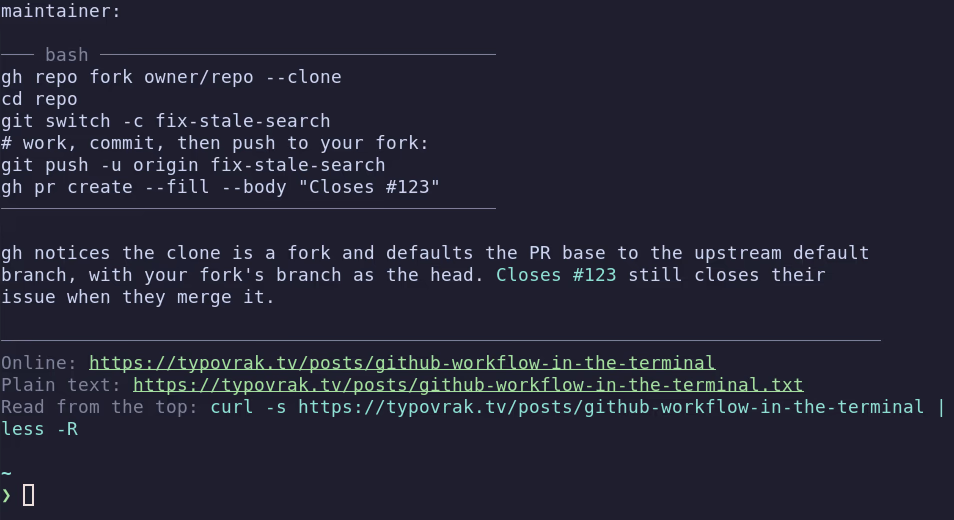
That footer is there because a terminal drops you at the end of the output, so the last line is the first one you read. It hands you the command that pages the same thing from the top.
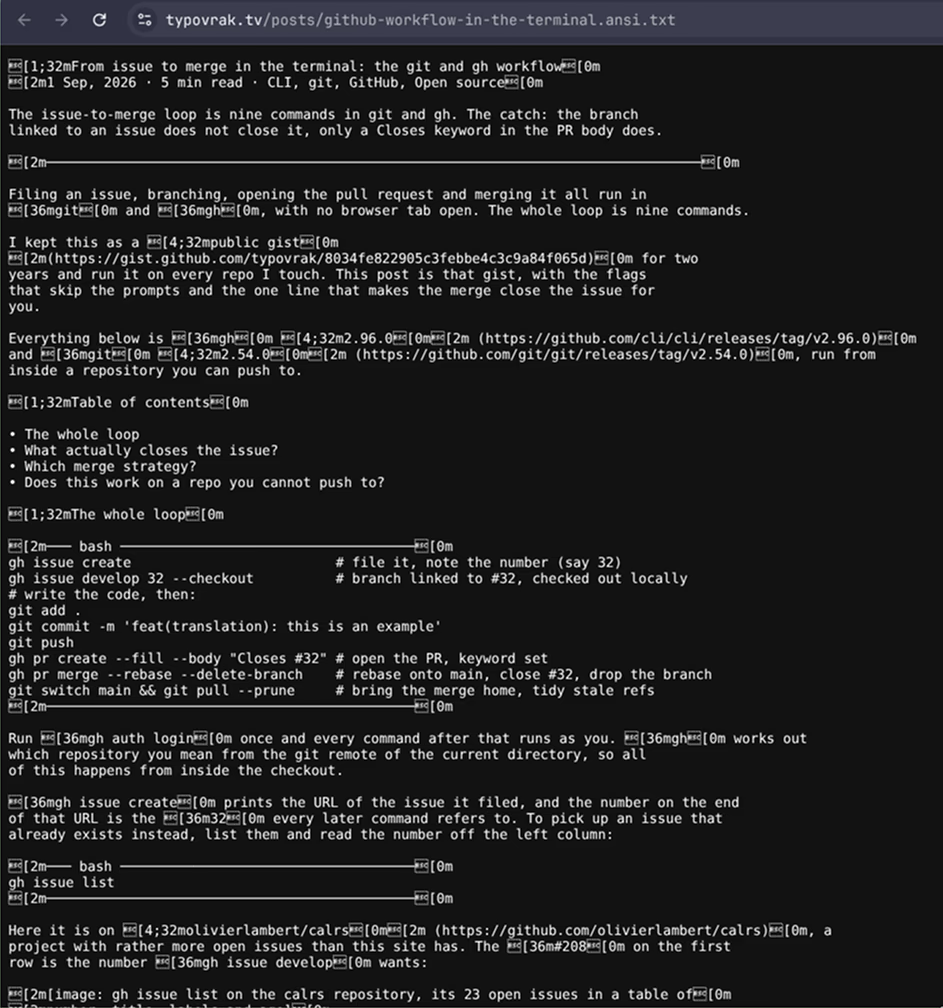
The colour in it is ANSI escape codes. The terminal reads ESC[1;32m as an instruction, bold green until further notice, and eats the ESC byte instead of drawing it. Anything that is not a terminal sees only the bytes, which is why less needs -R to pass them through: without the flag you read a literal ESC[1;32m where the title should be.
The root does the same for the post list:
$ curl https://typovrak.tv
typovrak
Notes on Arch Linux, NixOS, CLI tooling and web development, written up from
problems I had to solve myself.

Posts

1 Sep, 2026   From issue to merge in the terminal: the git and gh workflow
              5 min read https://typovrak.tv/posts/github-workflow-in-the-terminal
...What curl gets is 11 KB, ANSI colour codes included. The same URL in a browser is 110 KB of HTML, 9.8 times more, and none of that 110 is needed to read the post. Without the colour the plain .txt drops to 8.5 KB, a thirteenth of the page.
How does the server tell curl from a browser?
By the User-Agent header, matched against a closed list. The whole mechanism is one route in Vercel’s Build Output config, added after the build by scripts/terminal-routes.mjs:
const terminalClient = [
  { type: "header", key: "user-agent", value: "(curl|[Ww]get|HTTPie|xh)/.*" },
];

const routes = [
  { src: "^/$", has: terminalClient, dest: "/index.ansi.txt" },
  { src: "^/posts/([^./]+)$", has: terminalClient, dest: "/posts/$1.ansi.txt" },
];
has is a condition on the request, so the route only fires when the header matches. dest is a rewrite, so the URL in the terminal stays /posts/<slug> while the file served is /posts/<slug>.ansi.txt. The dot in [^./]+ is what keeps /posts/<slug>.txt out of the rewrite, so the plain files stay reachable by their own URLs.
Four clients are on the list, curl, wget, HTTPie and xh, because their default user-agent is a bare name/version. A regex in someone else’s matcher is a regex whose semantics you have not read, so I checked it against production:
| User-agent sent | Served | What it shows |
|---|---|---|
curl/8.12.1 | text/plain | The normal case |
curl/1.0 foo | text/plain | The trailing .* covers anything after the version |
foo curl/1.0 | text/html | The match is anchored at the start of the header |
CURL/8.0, WGET/1.0 | text/plain | Vercel compares case-insensitively, so [Ww] is redundant |
curl alone, PowerShell/7.4, empty | text/html | No slash, or not on the list, so the HTML |
curl sends Accept: */* and so does wget, so content negotiation has nothing to negotiate on. The user-agent is the only header a command-line client sends that says what it is, and a script that wants the HTML anyway overrides it in one flag, curl -A Mozilla/5.0.
Why two text files per post?
Because escape codes are the right output for a terminal and the wrong output for a file: curl -o post.md on the coloured version writes ESC[1;32m in front of every heading. So each post is built twice, by two static endpoints whose .txt filename is also what makes Vercel serve them as text/plain:
| URL | Palette | For |
|---|---|---|
/posts/<slug>.ansi.txt | ansi | What the rewrite serves to a terminal |
/posts/<slug>.txt | plain | curl -o post.md, a pager without -R, or an LLM |
/index.ansi.txt, /index.txt | both | The post list, same split |
All four are live for the post above: the coloured one, the plain one, and the list as index.ansi.txt and index.txt. Open the coloured one in a browser and the codes come back as text, a boxed ESC and a [1;32m in front of every heading, which is the whole argument for keeping the plain one.
My first plan, written in a TODO before any code, was one file and a ?raw query string to switch the colour off. That cannot work on a static host, because a query string never reaches a file on disk. Two files cost nothing at build time and each one gets a stable URL, so that is what shipped.
How does the markdown become terminal text?
By walking the same tree Astro walks. Its render() hands back HTML and nothing else, and HTML has already dropped the structure a terminal needs, while parsing the markdown a second time with my own parser would work right up to the day a table or a callout parsed differently from the site. So postTree.ts builds the processor Astro builds, and slips in a remark plugin whose only job is to hold on to the root:
let tree: Node | undefined;
const capture = () => (root: Node) => {
  tree = stripMdx(root);
};
const processor = await createMarkdownProcessor({
  gfm: true,
  smartypants: false,
  syntaxHighlight: false,
  remarkPlugins: options.mdx ? [remarkMdx, capture] : [capture],
});
await processor.render(body);
smartypants: false is not cosmetic. With it on, a --rebase in prose becomes an en dash, and a reader pasting that command out of their terminal gets a broken command. remarkMdx is in the chain for .mdx files only: the MDX grammar reads {braces} in prose as a JavaScript expression, and one of my .md posts carries ${pkgs.prisma-engines_6} in a Nix snippet.
From there terminal.ts walks the tree with no astro:* import, which is what keeps it under vitest. The parts that took more than one attempt:
- Paragraphs wrap at 80 columns and a word keeps its style across the break. Code blocks never wrap, so a long command scrolls sideways instead of being sawn in half.
- Tables are padded to their widest cell, measured after stripping the escape codes, or a coloured cell throws the column out of line.
- A
> [!TIP]callout becomes a labelled quote under a│bar, and the## Table of contentsheading becomes the list of headings that follow it.
Two test files, 541 lines for 651 lines of renderer, and I broke each rule in turn to watch its test go red. The rewrite is the one thing they cannot reach, since only Vercel reads that config, so it gets checked on a preview deploy with a browser and curl on the same URL.
Why only sixteen colours?
Because the reader’s own terminal theme should pick the shade. The palette is nine SGR codes and nothing from the 256-colour or truecolour ranges:
| Element | Code | Meaning |
|---|---|---|
Title, h1, h2 | 1;32 | bold, green |
h3 and deeper, strong | 1 | bold |
| Emphasis | 3 | italic |
| Inline code | 36 | cyan |
| Link | 4;32 | underline, green |
| Metadata, URLs, rules | 2 | dim |
| Callout label | 32 | green |
| Warning label | 33 | yellow |
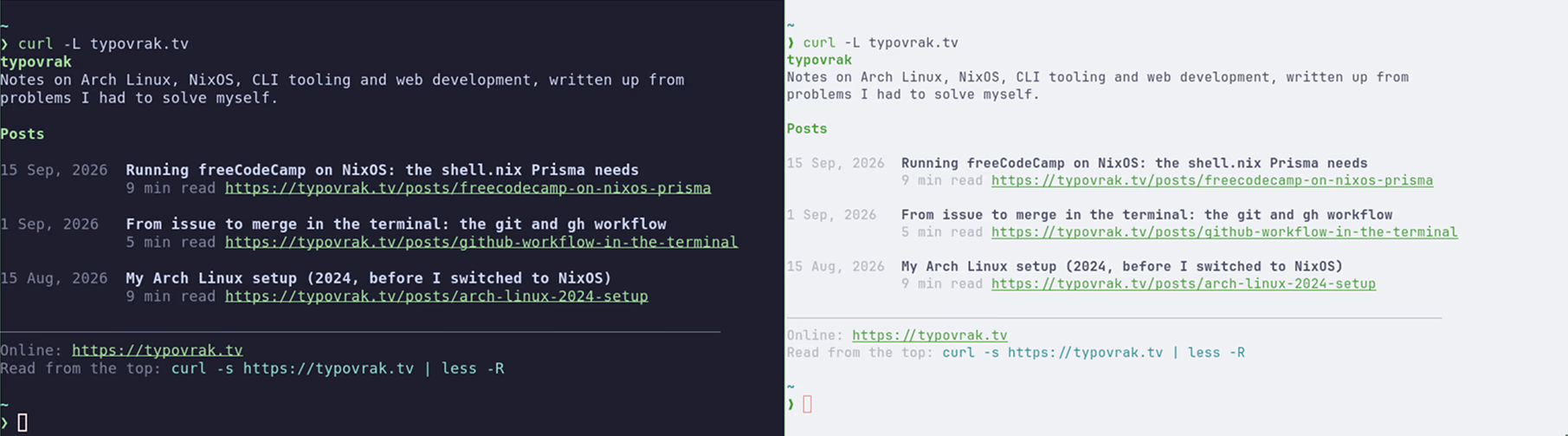
Code 32 leaves the shade to the theme, which is Catppuccin Mocha’s on my machine and yours on yours. A truecolour value would reproduce the site’s exact accent and then sit unreadable on somebody’s light background.
The plain palette maps those same slots to markdown instead, # for headings and fences for code, and that paid off a day later: /llms.txt and /llms-full.txt are the same renderer called with that palette, because its output was already valid markdown.
Who else does this?
wttr.in and cheat.sh, both by Igor Chubin, are where I got the idea. Checked on 29 September 2026, each answers text/plain to a curl/8.12.1 user-agent and text/html to a Firefox one on the same URL, and wttr.in goes further by painting the weather in 256 colours. rate.sx, from the same author, switches too, but it labels the text text/html in both cases, so its Content-Type tells you nothing and the body is the only place the switch shows.
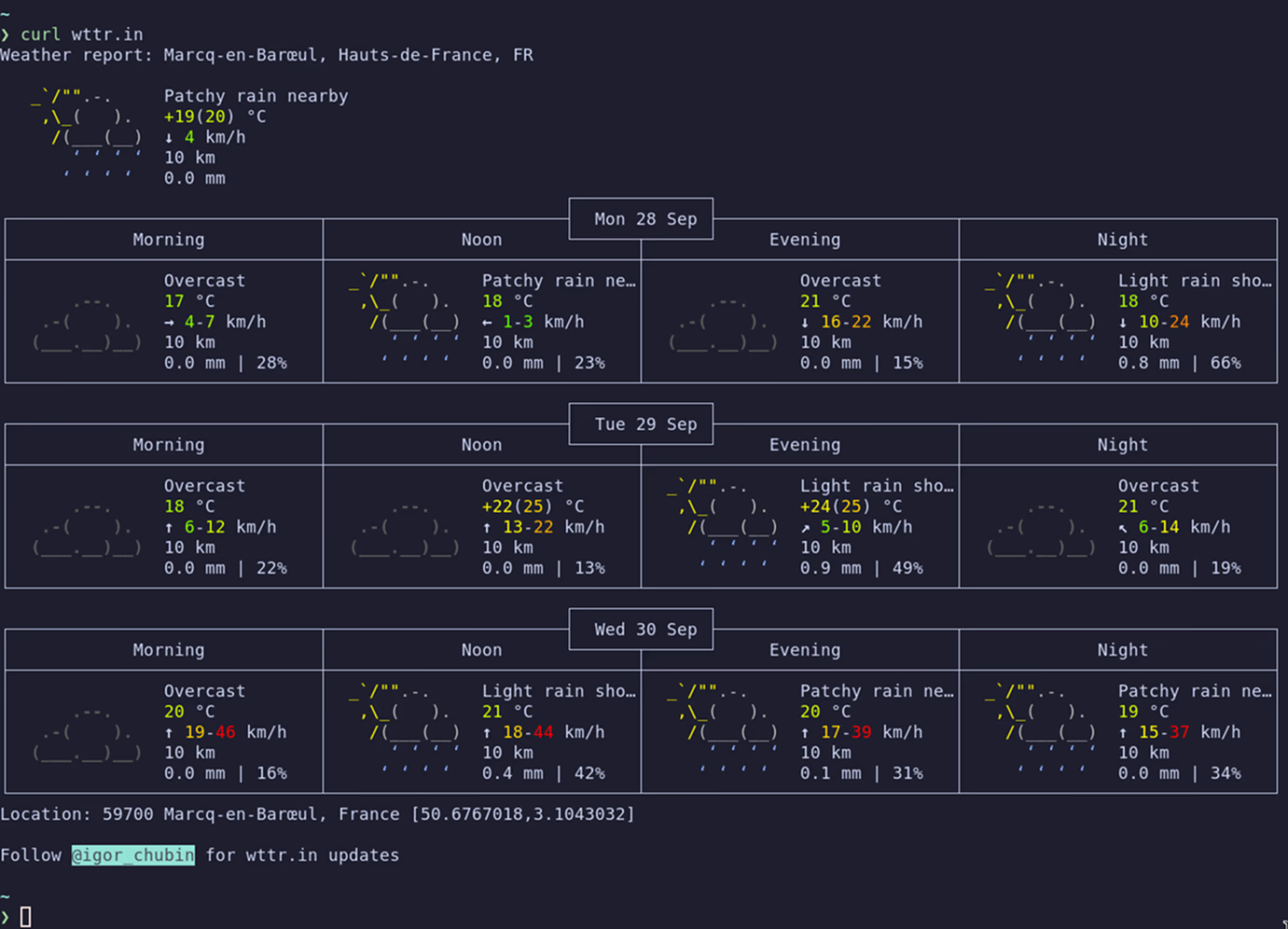
Those are services with a server behind them. A static site gets there with a rewrite rule and two extra files per page.
Try it
curl https://typovrak.tv
curl https://typovrak.tv/posts/github-workflow-in-the-terminal | less -R
curl -o post.md https://typovrak.tv/posts/github-workflow-in-the-terminal.txt
curl -A Mozilla/5.0 https://typovrak.tv/posts/github-workflow-in-the-terminal | head -3
The first two read in the terminal. The third saves the markdown without a single escape code. The fourth is how a script gets the HTML back, since the switch is keyed on nothing but the user-agent.
https://Drop it and curl asks for port 80, Vercel answers a 308 to the https URL, and Redirecting... is the whole of what you read, unless you add -L. A trailing slash on the path 308s the same way, since the site emits none.
Comments
Loads a GitHub-hosted comment widget. It is fetched only when you click, which exposes your IP to GitHub. See the legal notices.